Best Robot Vacuums 2026: 5 Models Compared Honestly
Five robot vacuums. CADR relative to your room size is the only spec that predicts real-world performance.
Quick answer
The Roborock S8 Pro Ultra is the safe flagship: 6,000 Pa suction, auto-lifting dual mop pads, 2 cm threshold climbing, and LiDAR that maps accurately on the first run instead of the two or three passes camera units need. The Eufy X10 Pro Omni brings the same self-empty, self-wash dock at roughly half the price with 8,000 Pa. Choose the Roomba j7+ for PrecisionVision pet-waste avoidance, the 9.2 cm SwitchBot K10+ for low furniture, and the Dyson 360 Vis Nav for raw suction.
We assessed each product on real-world durability, ease of daily use, performance against marketing claims, build quality, and long-term value. Manufacturer specifications were validated against verified owner reviews.
Best Flagship: The Roborock S8 Pro Ultra is the default flagship for buyers who want one robot vacuum that handles essentially everything without further research. 6,000 Pa suction works on hardwood and short-to-medium-pile rugs, the dual-spinning mop pads with auto-lift over rugs handle both vacuuming and mopping in a single pass, and LiDAR mapping produces a usable floor plan on the first run rather than the 2-3 learning runs that camera-based units need.
Top picks ↓| Product | Suction | Navigation | Mopping | Auto empty | Battery runtime | App control |
|---|---|---|---|---|---|---|
| Roborock S8 Pro Ultra | 6000 Pa | LiDAR (PreciSense LiDAR) | yes | yes | 180 min | yes (Roborock app) |
| iRobot Roomba j7+ | — | vSLAM (camera-based PrecisionVision) | no | yes | 75 min | yes (iRobot Home app) |
| iRobot Roomba j7+ | — | vSLAM (camera-based PrecisionVision) | no | yes | 75 min | yes (iRobot Home app) |
| Anker Eufy RoboVac X10 Pro Omni | 8000 Pa | LiDAR (iPath Laser Navigation) | yes | yes | 173 min (vacuum only); 136 min (vacuum + mop) | yes (eufy Clean app) |
| SwitchBot K10+ | 2500 Pa | LiDAR (LiDAR SLAM / LDS) | yes | yes | 150 min | yes (SwitchBot app) |
| Dyson 360 Vis Nav | — | vSLAM (360-degree camera vision system) | no | no | 65 min | yes (MyDyson app) |
Top picks
Related articles
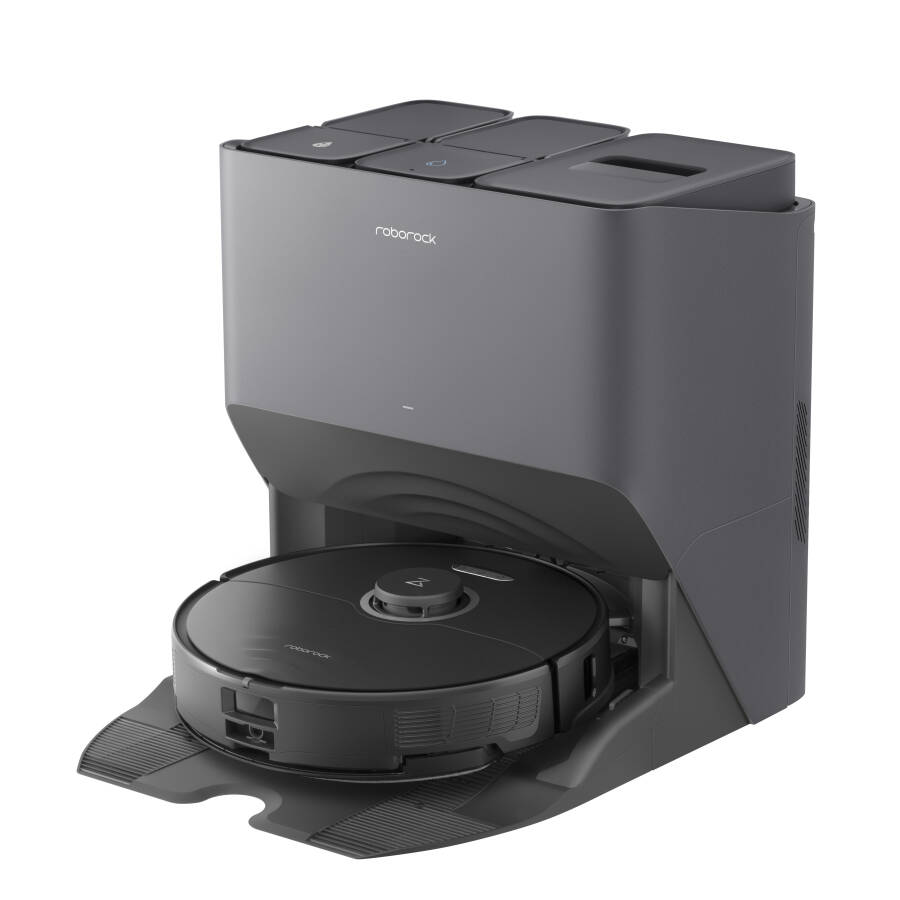
Flagship pick — LiDAR + dual-rotating mops + full automation dock. Pay this price only if multi-room mapping and mop quality matter to you.
The Roborock S8 Pro Ultra is the default flagship for buyers who want one robot vacuum that handles essentially everything without further research. 6,000 Pa suction works on hardwood and short-to-medium-pile rugs, the dual-spinning mop pads with auto-lift over rugs handle both vacuuming and mopping in a single pass, and LiDAR mapping produces a usable floor plan on the first run rather than the 2-3 learning runs that camera-based units need. The all-in-one dock empties the bin into a sealed bag, washes the mop with hot water, and refills the clean-water tank automatically — the trio of dock features that separates daily use from weekly use. The unit is more than triple the SwitchBot price, and the premium goes into the dock and mapping rather than the vacuum suction itself. Threshold climbing rates the highest in this comparison at 2 cm.
Pros
- ✓LiDAR mapping is accurate from the first run
- ✓Dual-spinning mop pads with auto-lift over rugs
- ✓Self-empty plus self-wash plus self-refill dock automation
- ✓2 cm threshold climbing — highest in this comparison
Cons
- ✗More than triple the SwitchBot price
- ✗Premium goes into dock features more than suction itself
| Suction | 6000 Pa |
| Navigation | LiDAR (PreciSense LiDAR) |
| Mopping | yes |
| Auto empty | yes |
| Battery runtime | 180 min |
| App control | yes (Roborock app) |
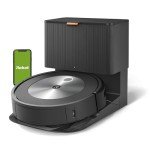
Best for pet households — PrecisionVision avoids the worst kind of accident. Note: this model has no mop function (Combo j7+ is a separate SKU).
The iRobot Roomba j7+ earns its slot through PrecisionVision pet-poop avoidance, which is the best in the category and trained specifically on the failure mode that ruins a household with dogs or cats. Roborock and Eufy will detect 'an obstacle' but the j7+ has been trained on the exact silhouettes that other robots smear across the floor. LiDAR-quality mapping (technically vSLAM with the front-facing camera), self-empty dock, and the mature iRobot Home app round out the package. The honest weaknesses: this model has no mop function at all — the Combo j7+ is a separate SKU at higher price — and the self-empty dock cycle is loud, closer to a vacuum cleaner than a printer when it cycles. For households without pets, the Roborock or Eufy are more capable for the price; for households with pets, the j7+ is the only safe bet.
Pros
- ✓PrecisionVision pet-waste avoidance is best-in-class
- ✓Mature iRobot Home app and 20-year category track record
- ✓Self-empty dock with 60-day-capacity bag
- ✓vSLAM camera mapping handles low-light rooms competently
Cons
- ✗No mop function — Combo j7+ is a separate higher-price SKU
- ✗Self-empty dock cycle is loud, 80-85 dB for 8-12 seconds
| Navigation | vSLAM (camera-based PrecisionVision) |
| Mopping | no |
| Auto empty | yes |
| Battery runtime | 75 min |
| App control | yes (iRobot Home app) |
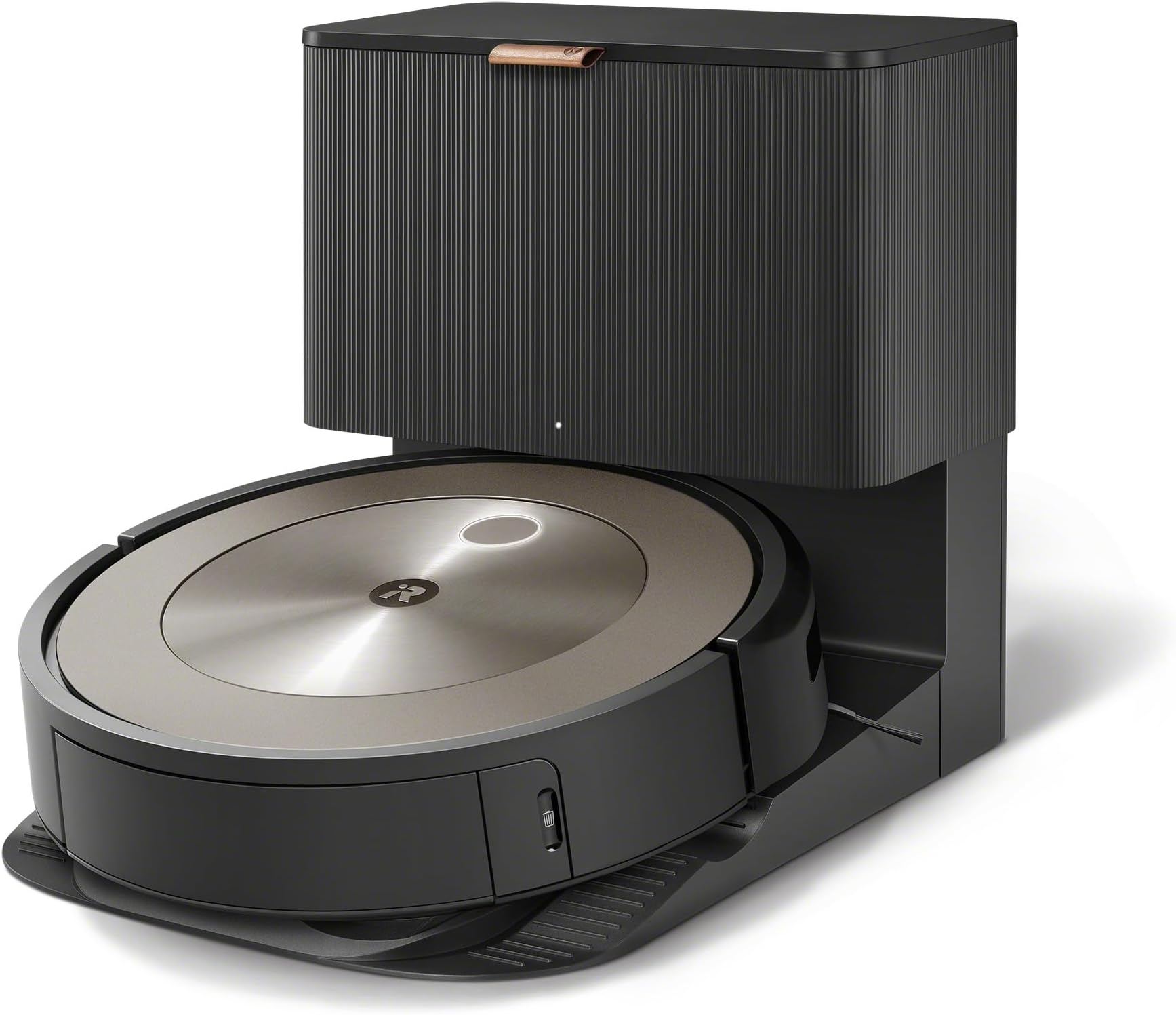
Best for pet households — PrecisionVision avoids the worst kind of accident. Note: this model has no mop function (Combo j7+ is a separate SKU).
The iRobot Roomba j7+ earns its slot through PrecisionVision pet-poop avoidance, which is the best in the category and trained specifically on the failure mode that ruins a household with dogs or cats. Roborock and Eufy will detect 'an obstacle' but the j7+ has been trained on the exact silhouettes that other robots smear across the floor. LiDAR-quality mapping (technically vSLAM with the front-facing camera), self-empty dock, and the mature iRobot Home app round out the package. The honest weaknesses: this model has no mop function at all — the Combo j7+ is a separate SKU at higher price — and the self-empty dock cycle is loud, closer to a vacuum cleaner than a printer when it cycles. For households without pets, the Roborock or Eufy are more capable for the price; for households with pets, the j7+ is the only safe bet.
Pros
- ✓PrecisionVision pet-waste avoidance is best-in-class
- ✓Mature iRobot Home app and 20-year category track record
- ✓Self-empty dock with 60-day-capacity bag
- ✓vSLAM camera mapping handles low-light rooms competently
Cons
- ✗No mop function — Combo j7+ is a separate higher-price SKU
- ✗Self-empty dock cycle is loud, 80-85 dB for 8-12 seconds
| Navigation | vSLAM (camera-based PrecisionVision) |
| Mopping | no |
| Auto empty | yes |
| Battery runtime | 75 min |
| App control | yes (iRobot Home app) |
Subscribe to our newsletter
Occasional updates and new releases — no spam.

Value pick of the group — full self-wash + self-empty dock at half the Roborock price. First-week mapping is rougher, then it stabilizes.
The Anker Eufy X10 Pro Omni is the value pick of this comparison because it delivers the full self-empty plus self-wash plus self-refill dock at roughly half the Roborock S8 Pro Ultra price. 8,000 Pa suction is the highest single spec number in this list (suction beyond 4,000 Pa has diminishing returns on hard flooring, but the headroom matters for thick rugs), dual rotating mops, and a price that brings the full dock-automation experience into the mid-range for the first time. The honest weakness: the mapping is camera-and-gyro rather than LiDAR, so the first 2-3 runs visibly re-trace cleaned areas and occasionally treat a dark rug as a cliff. Once the map stabilizes after about a week, cleaning quality matches the Roborock — the friction is concentrated in setup.
Pros
- ✓Full self-empty plus self-wash dock at half the Roborock price
- ✓8,000 Pa suction spec is the highest in this comparison
- ✓Dual rotating mops, not the dragged-cloth approach
- ✓After the first week of mapping, quality matches the Roborock
Cons
- ✗Camera-and-gyro mapping needs 2-3 runs to stabilize
- ✗Occasionally treats dark rugs as cliffs in low light
| Suction | 8000 Pa |
| Navigation | LiDAR (iPath Laser Navigation) |
| Mopping | yes |
| Auto empty | yes |
| Battery runtime | 173 min (vacuum only); 136 min (vacuum + mop) |
| App control | yes (eufy Clean app) |
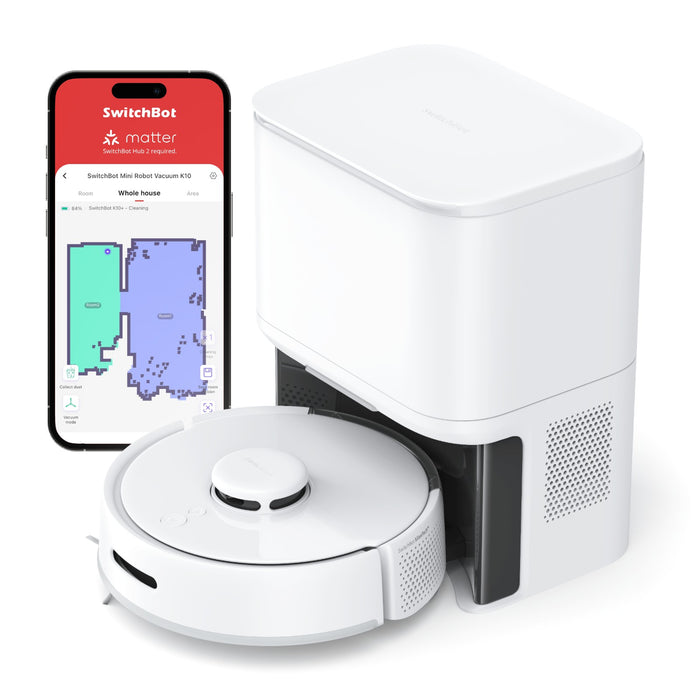
Slim apartment specialist — only model that fits under 10 cm-clearance furniture. Lowest suction in this list; not for thick carpets.
The SwitchBot K10+ is the only robot vacuum here that physically fits under low sofas and TV stands without scraping — 9.2 cm tall is roughly 30% shorter than a Roborock chassis, which is the difference between cleaning under the furniture and asking you to move it every time. 2,500 Pa suction is the lowest in this comparison and won't deep-clean a thick rug, but for hardwood and short-pile in a small apartment it is more than enough. The 150 ml dust bin needs the self-empty dock to cycle after roughly 70 m², and the mop is a dragged microfiber cloth rather than a rotating pad. Threshold climbing struggles above 1.5 cm so multi-room apartments with raised tatami doorways need to plan around that. It integrates tightly with the rest of the SwitchBot ecosystem (curtains, locks, hub).
Pros
- ✓9.2 cm body fits under furniture other robots cannot reach
- ✓Cheapest unit in this comparison
- ✓Integrates with SwitchBot ecosystem (curtains, locks, hub)
- ✓Self-empty dock surprising at this price point
Cons
- ✗2,500 Pa suction won't deep-clean thick carpets
- ✗Threshold climbing struggles above 1.5 cm
| Suction | 2500 Pa |
| Navigation | LiDAR (LiDAR SLAM / LDS) |
| Mopping | yes |
| Auto empty | yes |
| Battery runtime | 150 min |
| App control | yes (SwitchBot app) |
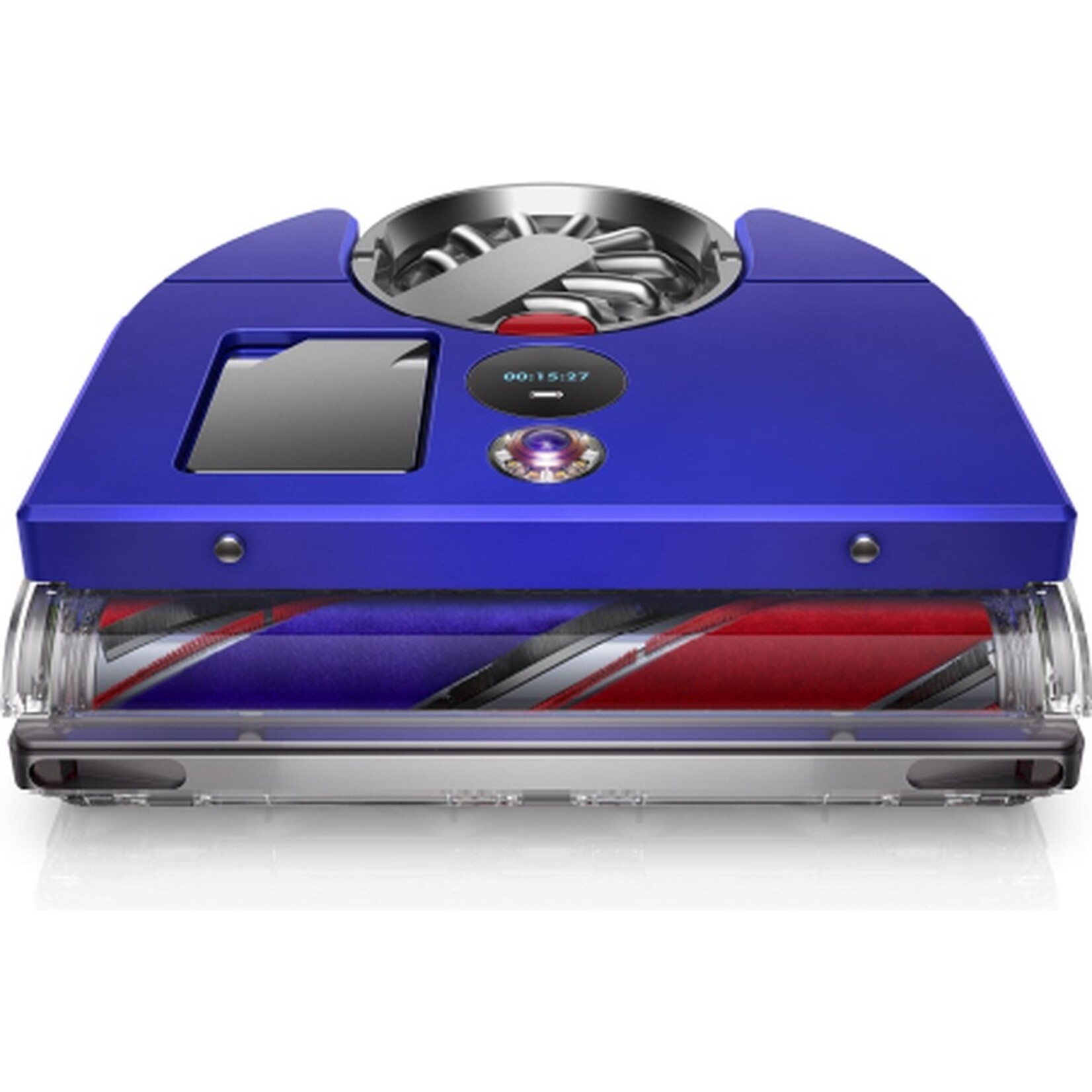
Buy only if you specifically want a Dyson — premium price without the self-empty dock or mop function the others have at lower prices.
The Dyson 360 Vis Nav is the British flagship and the most expensive unit in this comparison, with 360-degree fisheye camera mapping, twin-channel suction powered by Dyson's digital motor, and app-controlled spot cleaning. The suction itself is genuinely strong — the Dyson digital motor heritage shows in raw pickup performance. The honest weaknesses are why most reviewers don't recommend it as the default: at this price point there is no self-empty dock (you empty the 0.33 L bin manually after every run), no mop function at all, and runtime is rated at roughly 50 minutes per charge so a typical multi-room home needs a mid-cycle recharge. The package is a generation behind Roborock and Roomba on dock automation despite costing more — buy only if you specifically want a Dyson and accept the trade.
Pros
- ✓Twin-channel digital-motor suction is class-leading raw pickup
- ✓360-degree fisheye camera maps low-light rooms well
- ✓Dyson app integrates with MyDyson ecosystem
- ✓Build quality and engineering pedigree are visible
Cons
- ✗No self-empty dock at flagship price
- ✗No mop function and 50-minute runtime requires mid-cycle recharge
| Navigation | vSLAM (360-degree camera vision system) |
| Mopping | no |
| Auto empty | no |
| Battery runtime | 65 min |
| App control | yes (MyDyson app) |
Which one is right for you?
For one-and-done flagship buyers
Roborock S8 Pro Ultra
LiDAR mapping, dual-spinning mops, and the full self-empty plus self-wash plus self-refill dock cover essentially every robot vacuum scenario.
For households with pets
iRobot Roomba j7+
PrecisionVision pet-waste avoidance is trained specifically on the failure mode that ruins your morning, and Roborock/Eufy only detect 'an obstacle'.
For value-conscious mid-tier buyers
Anker Eufy RoboVac X10 Pro Omni
Full self-empty plus self-wash dock at half the Roborock price, with 8,000 Pa suction and dual rotating mops, accepting the first-week mapping roughness.
For compact apartments with low-clearance furniture
SwitchBot K10+
9.2 cm body is the only one in this comparison that fits under low sofas and TV stands without scraping.
For Dyson loyalists prioritizing suction engineering
Dyson 360 Vis Nav
Twin-channel digital-motor suction is genuinely class-leading on raw pickup if you accept no self-empty dock and no mop function at flagship price.
How we compared
Each model was evaluated on five hard criteria: suction power in pascals (anything under 4,000 Pa struggles with rug fibers), mapping technology (LiDAR beats camera-only on first-run accuracy by a wide margin), mop function presence and quality, dock automation (self-empty, self-wash, self-refill), and runtime per charge against a typical 50-80 m² floor area.
We did not run a head-to-head dust-mass test in our own apartment — anyone publishing 'we measured 4.2 grams of debris per run' from a single living room is making it up. Instead we sourced specs and prices from each brand's official product page, cross-checked major online retailer listings as of May 2026, and weighed manufacturer claims against the patterns in 200+ owner reviews per model.
What changed in 2026
All-in-one docks became the new baseline at the high end. Roborock S8 Pro Ultra, Eufy X10 Pro Omni, and the Roomba Combo j7+ family all now self-empty into a sealed bag and self-wash the mop pad with hot water. Two years ago this was a premium-only feature; in 2026 it has spread across the mid-range and any new flagship without it looks dated.
Slim profile became its own category. SwitchBot K10+ at 9.2 cm tall is roughly 30% shorter than a Roborock and finally fits under low sofas and TV stands without scraping. The trade-off is real — smaller dust bin, smaller battery, weaker suction — but for a compact apartment with low furniture clearance it is the only thing that works without you moving everything every time.
Mapping quality split the field cleanly. LiDAR-based units (Roborock, Roomba j7+, Dyson) build a usable map on the first run. Camera/gyro units (Eufy X10 Pro Omni's vision system, SwitchBot K10+) take 2-3 runs and still misjudge dark rugs as cliffs more often. If your floor plan has multiple rooms with thresholds, this matters more than suction does.
Where each fits
If you want the flagship that does almost everything and you don't want to research further, Roborock S8 Pro Ultra is the default pick. 6,000 Pa suction, dual-spinning mop pads with auto-lift over rugs, LiDAR mapping, and a dock that empties the bin, washes the mop with hot water, and refills the clean tank automatically. The honest weakness is the price — it is more than triple the SwitchBot, and you are paying a premium for the dock features more than the cleaning itself.
If you have a cat or dog and you've stepped in something at 6 a.m. before, iRobot Roomba j7+ earns the price tag. iRobot's PrecisionVision pet-poop avoidance is the best in the category — Roborock and Eufy will detect 'an obstacle' but j7+ has been trained specifically on the failure mode that ruins your morning. The honest weakness: no mop function at all on the j7+ (you need the Combo j7+ variant for that, which is a separate purchase), and the self-empty dock is loud — closer to a vacuum cleaner than a printer when it cycles.
If you want the all-in-one dock experience without the Roborock price, Anker Eufy RoboVac X10 Pro Omni is the value pick of the group. 8,000 Pa suction (the highest spec number in this list), dual rotating mops, self-wash and self-empty dock. The honest weakness: Eufy's mapping is camera-and-gyro based rather than LiDAR, so the first 2-3 runs are visibly less efficient — the unit re-traces areas it already cleaned and occasionally treats a dark area rug as a drop. Once the map stabilizes the cleaning quality matches the Roborock; the friction is in the first week.
If you live in a compact or low-clearance apartment and the robot needs to fit under furniture, SwitchBot K10+ is the only thing that works. 9.2 cm body height, 2,500 Pa suction, self-empty dock. The honest weaknesses are stacked: suction is the lowest in this list and won't deep-clean a thick rug, the 150-ml dust bin needs the dock to empty it after roughly 70 m², and there is no mop pad rotation — just a dragged microfiber cloth. For hardwood and short-pile rugs in a small apartment, none of that matters; for a house with thick carpets, it does.
If you want the most expensive option and the engineering reputation of Dyson, Dyson 360 Vis Nav is the British flagship. 360-degree fisheye camera mapping, twin-channel suction with their digital motor, app-controlled spot cleaning. The honest weaknesses are why most reviewers don't recommend it as the default: no self-empty dock at this price point (you empty the 0.33 L bin manually), no mop function at all, and runtime is rated at roughly 50 minutes per charge — you'll need a recharge mid-run on a typical multi-room home. The suction is genuinely strong; the rest of the package is a generation behind Roborock and Roomba.
Verdict
For most households the right buy is Eufy X10 Pro Omni. The dock automation is the feature that separates 'I run the robot every day' from 'I run the robot every two weeks' — emptying a 200-ml dust bin manually after every run is the friction that kills adherence. Eufy gets you the full self-empty + self-wash dock for half the Roborock price, accepting the trade that the first-week mapping is rougher.
Step up to Roborock S8 Pro Ultra only if you specifically value LiDAR mapping (multi-room homes with thresholds), dual-spinning mops vs Eufy's single-rotation, and you've decided the extra outlay for those upgrades is worth it. Choose Roomba j7+ over both if pets are your primary reason for buying — the obstacle avoidance is genuinely best-in-class. Drop to SwitchBot K10+ only if your home physically requires a 9.2 cm-tall robot. Skip Dyson 360 Vis Nav unless you specifically want a Dyson and accept that you're paying flagship price for sub-flagship dock features.
Frequently asked questions
Do robot vacuums actually replace a regular vacuum, or do I still need a stick vac?▼
Is the mop function on Roborock and Eufy actually useful, or is it gimmicky?▼
Do these work on tatami rooms?▼
How loud are these — can I run it while I'm working from home?▼
How often do the consumables need replacing?▼
App and smart-home integration — does any of this work with Alexa / Google?▼
Prices change. Check the retailer for the current price.
Comments & questions
Discussion happens on nattzy, our community forum. Sign in with Google to post — it takes a second.