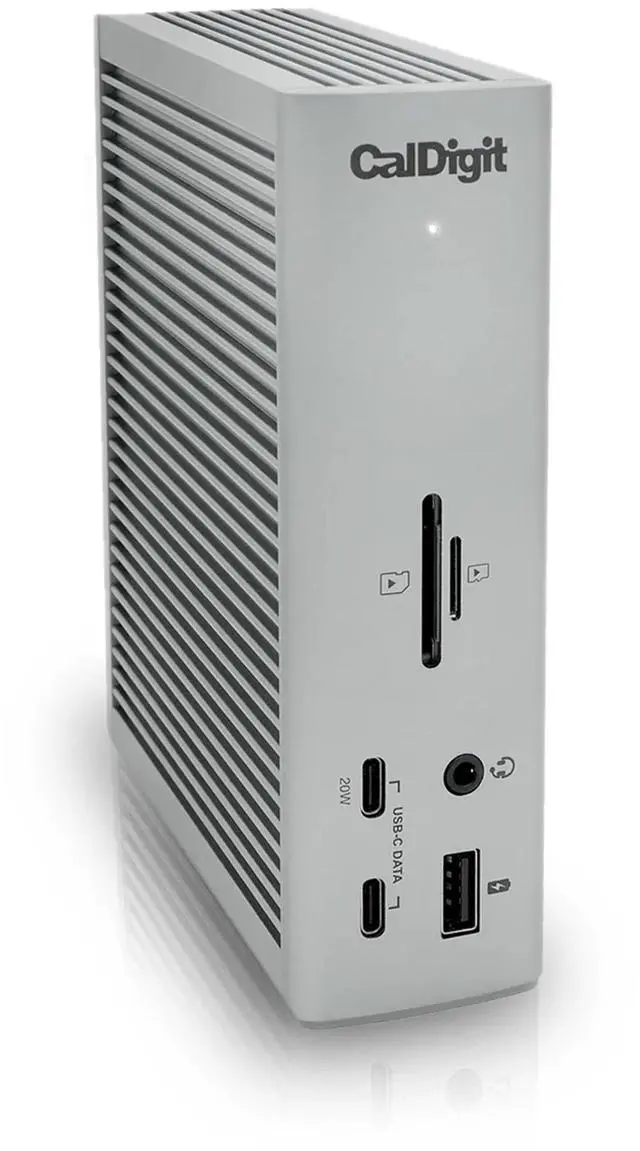
CalDigit TS4 Thunderbolt 4 Dock
- Categories
- Tech
Thunderbolt 4 dock with 18 ports including 2.5 Gigabit Ethernet, 3× USB-A 10Gbps, 2× USB-C 10Gbps, Thunderbolt 4 downstream, DisplayPort 1.4, SD card reader, 98W host charging via single Thunderbolt cable.
The CalDigit TS4 is the professional Thunderbolt 4 dock benchmark — 18 ports, 98W host charging, 2.5 Gigabit Ethernet, 3× USB-A 10Gbps, 2× USB-C 10Gbps, Thunderbolt 4 downstream, DisplayPort 1.4, SD card reader, and a front USB-A and USB-C port pair for easy peripheral access. The single Thunderbolt 4 cable to the laptop handles data, charging, and display output simultaneously. It is the most expensive option in this comparison. The honest weaknesses: price is only justified if most of the 18 ports are used; requires Thunderbolt 4 host port for full bandwidth; large physical footprint (175mm tower form) for a permanent desk — not a portable option.
Pros
- 18 ports including 2.5GbE, 3× USB-A 10Gbps, Thunderbolt 4 downstream, SD card
- 98W host charging — covers MacBook Pro 16-inch under sustained CPU load
- Single Thunderbolt 4 cable handles data, display, and charging simultaneously
- 2.5 Gigabit Ethernet exceeds standard Gigabit on supported networks
Cons
- Premium price requires using most ports to justify the cost
- Large 175mm tower form factor — desk-bound permanent setup only
Score breakdown
CalDigit TS4 Thunderbolt 4 Dock Setup And First Impressions
Related articles
This article contains affiliate links.