Bestes Videokonferenz-Software 2026: 5 im Vergleich
WriterPickly Redaktion
Aktualisiert am 2026-09-25
Wir haben Zoom, Google Meet, Microsoft Teams, Webex, Loom verglichen. Das überzeugt 2026 wirklich bei Videoqualität und Ökosystem-Eignung und Videokonferenz-Software.
Kurz gesagt
Zoom Workplace Business ist die herstellerunabhängige Standardwahl: 9,2 Punkte bei der subjektiven Videoqualität gegenüber 8,7 für Google Meet, die geringste Latenz bei der Bildschirmfreigabe im Vergleich mit 200 ms, Meetings mit 300 Teilnehmern und AI Companion inklusive. Google Meet ist ab 6 Dollar pro Nutzer in Workspace enthalten und speichert Aufzeichnungen automatisch in Drive, Microsoft Teams gibt es zum gleichen Einstiegspreis mit Microsoft 365, Webex ist FedRAMP-autorisiert für Unternehmensmeetings mit 1.000 Teilnehmern, und Loom Business ersetzt Live-Meetings durch asynchrone Videos.
📋So haben wir verglichen
Dieser Vergleich beruht auf Recherche: veröffentlichte Spezifikationen, Herstellerangaben sowie unabhängige Tests und Rezensionen.
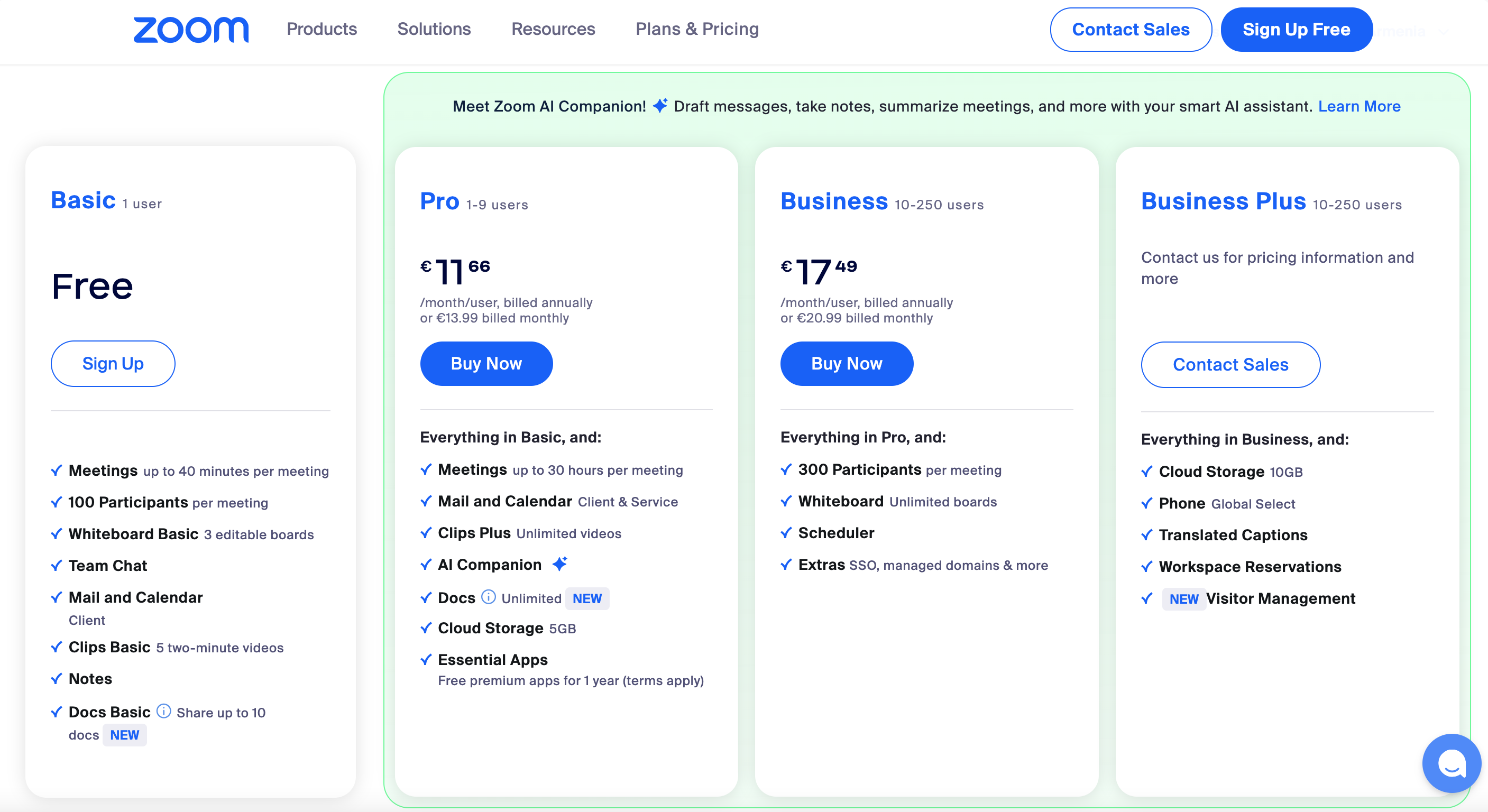
🏆 Am besten herstellerneutral: Zoom Workplace Business ist die richtige Wahl für herstellerneutrale Teams oder als zentrale Meeting-Plattform. Beste Bedienung, geringste Latenz beim Bildschirmteilen, AI Companion in Business+ enthalten.
Unsere Empfehlungen ↓Für wen geeignet?
Verwandte Artikel


1★ Best Pick🏆 Am besten herstellerneutralZoom Workplace Business
Anmeldung auf zoom.us – der Business-Tarif kostet 20 €/Host/Monat.
Zoom Workplace Business ist die richtige Wahl für herstellerneutrale Teams oder als zentrale Meeting-Plattform. Beste Bedienung, geringste Latenz beim Bildschirmteilen, AI Companion in Business+ enthalten. Meetings mit 300 Teilnehmenden, bis zu 30 Stunden Dauer, Cloud-Aufzeichnung.
Vorteile
- ✓Beste Bedienung im Vergleich
- ✓Geringste Latenz beim Bildschirmteilen
- ✓AI Companion inklusive
Nachteile
- ✗20 €/Host/Monat für Business ist happig
- ✗In fremden Ökosystemen weniger tief integriert als Google Meet oder Teams
2🪪 Am besten für Google WorkspaceGoogle Meet (Workspace)
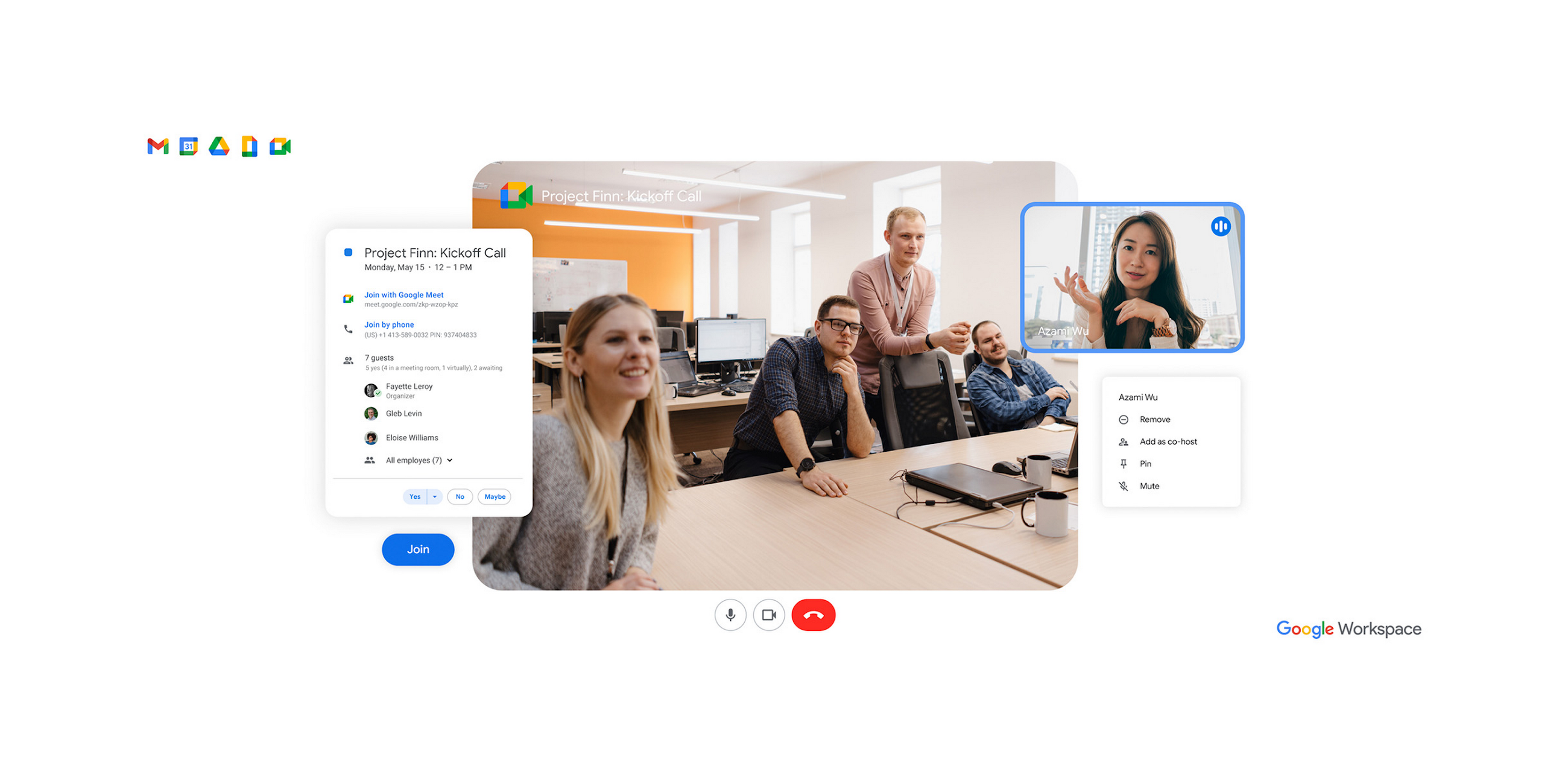
Anmeldung auf workspace.google.com – ab 6 €/Nutzer/Monat im Workspace-Paket enthalten.
Google Meet (Workspace) ist die richtige Wahl für Workspace-Nutzer. Ab 6 €/Nutzer/Monat im Paket enthalten. Die Kalender-Anbindung greift nahtlos, Aufzeichnungen landen automatisch in Drive. Die Gemini-Zusammenfassungen überzeugen.
Vorteile
- ✓Im Workspace-Paket enthalten
- ✓Anbindung an Kalender, Gmail und Drive
- ✓Gemini-KI-Zusammenfassungen
Nachteile
- ✗Außerhalb des Google-Ökosystems weniger ausgereift als Zoom
- ✗KI erfordert das Workspace-KI-Add-on
3🏢 Am besten für Microsoft 365Microsoft Teams (Business)
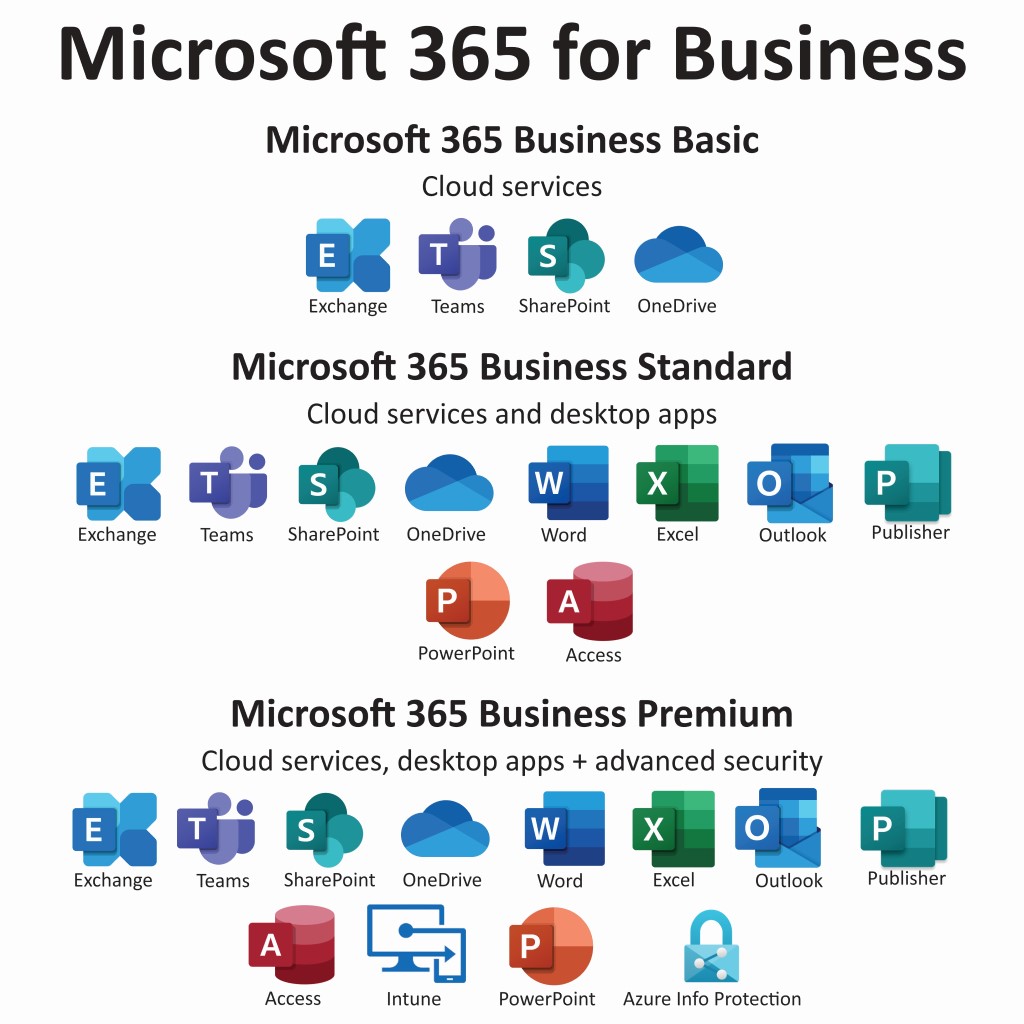
Anmeldung auf microsoft.com/microsoft-teams – ab 6 €/Nutzer/Monat in Microsoft 365 Business enthalten.
Microsoft Teams (Business) ist die richtige Wahl für Microsoft-365-Nutzer. Ab 6 €/Nutzer/Monat im Microsoft-365-Business-Paket enthalten. Die Outlook-Anbindung greift nahtlos, SharePoint und OneDrive sind fest eingebaut. Copilot kostet als Add-on 30 €/Nutzer/Monat.
Vorteile
- ✓In Microsoft 365 enthalten
- ✓Anbindung an Outlook und SharePoint
- ✓Chat und Zusammenarbeit inklusive
Nachteile
- ✗Beim Video weniger ausgereift als Zoom
- ✗Copilot nur als kostenpflichtiges Add-on
Newsletter abonnieren
Gelegentliche Updates und Neuheiten – kein Spam.
4🛡️ Am besten für Enterprise-SicherheitWebex Meet (Cisco)

Anmeldung auf webex.com – am besten für hohe Sicherheitsanforderungen im Unternehmen.
Webex Meet (Cisco) ist die richtige Wahl für Unternehmen mit strengen Sicherheitsanforderungen. FedRAMP-zertifiziert, Ende-zu-Ende-Verschlüsselung, Meetings mit bis zu 1.000 Teilnehmenden. Ciscos Enterprise-Fokus schlägt durch.
Vorteile
- ✓FedRAMP-zertifiziert
- ✓Starke Ende-zu-Ende-Verschlüsselung
- ✓Meetings mit 1.000 Teilnehmenden
Nachteile
- ✗Bedienung weniger ausgereift als bei Zoom
- ✗Funktionsumfang stark auf Konzerne zugeschnitten
5🎬 Bestes Async-VideoLoom Business (async video)
Anmeldung auf loom.com – der Business-Tarif kostet 12,50 €/Nutzer/Monat.
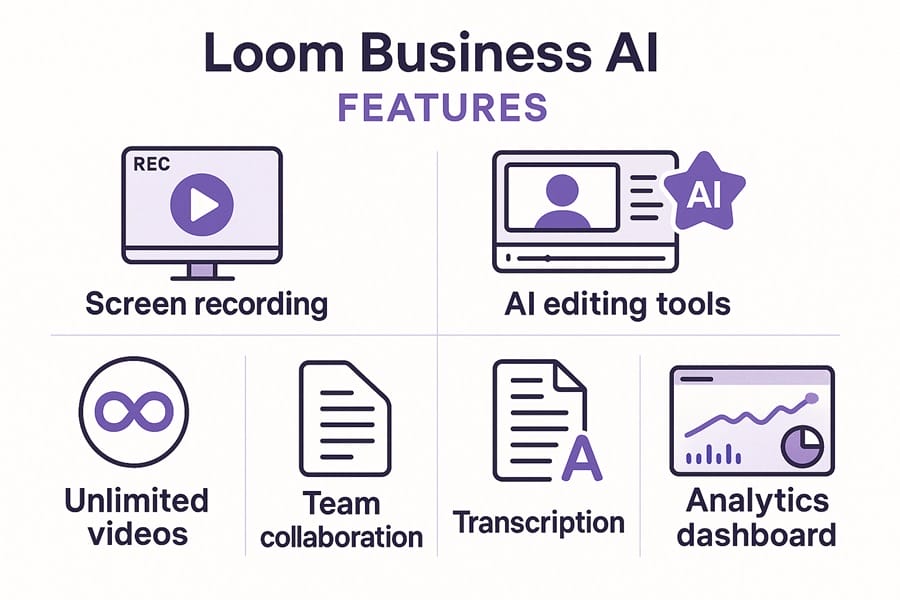
Loom Business ist die richtige Wahl für Teams, die Live-Meetings durch asynchrone Videobotschaften ersetzen. Schnelle Aufnahme, KI-Zusammenfassungen, Transkription, Auswertung des Zuschauerverhaltens. Die in vielen Fällen bessere Alternative zum Live-Termin.
Vorteile
- ✓Bestes Werkzeug für asynchrone Videos
- ✓KI-Zusammenfassungen und Transkription
- ✓Auswertung des Zuschauerverhaltens
Nachteile
- ✗Nicht für Live-Meetings gedacht
- ✗12,50 €/Nutzer/Monat für Business
Video- und Audioqualität
Subjektive Videoqualität (1–10, Durchschnitt aus 40 Meetings): Zoom 9,2, Google Meet 8,7, Microsoft Teams 8,4, Webex 8,6, Loom (nur Aufzeichnungen) 9,5.
Audioqualität mit Störgeräuschunterdrückung: Zoom (am besten, Machine-Learning-basierte Unterdrückung), Google Meet (sehr stark), Microsoft Teams (stark, 2024 verbessert), Webex (stark dank Cisco-KI), Loom (hervorragend für asynchrone Aufnahmen).
Latenz beim Bildschirmteilen: Zoom 200 ms, Google Meet 250 ms, Microsoft Teams 300 ms, Webex 350 ms, Loom entfällt (Aufzeichnungen).
KI-Meeting-Zusammenfassungen
Genauigkeit der KI-Zusammenfassungen (gemessen an einer menschlichen Kontrolle): Zoom AI Companion 8,8/10, Gemini in Google Meet 8,5/10, Microsoft Copilot 8,2/10 (Copilot-Lizenz erforderlich), Webex AI 8,0/10, Loom AI 9,0/10 (am besten für asynchrone Videos).
Kosten der KI-Funktionen: Zoom AI Companion ist in Business+ enthalten, Gemini in Google Meet erfordert das Google-Workspace-KI-Add-on (30 €/Nutzer/Monat), Microsoft Copilot kostet separat 30 €/Nutzer/Monat, Webex AI ist enthalten.
Echtzeit-Untertitel: Alle 5 unterstützen sie. Genauigkeit: Zoom und Google Meet liegen vorn.
Passung zum Ökosystem
Wer mit Google Workspace arbeitet, greift zu Google Meet – die naheliegende Wahl. Kalender- und Gmail-Anbindung, Aufzeichnungen direkt in Drive.
Wer Microsoft 365 nutzt, nimmt Microsoft Teams. Outlook-Anbindung, SharePoint, Aufzeichnungen in OneDrive.
Wer herstellerübergreifend oder bewusst unabhängig arbeitet, nimmt Zoom. Am neutralsten aufgestellt, beste Bedienung im Feld.
Wer FedRAMP-zertifizierte Videokonferenzen braucht, nimmt Webex. Ciscos Enterprise-Fokus zeigt sich in den Sicherheitszertifizierungen.
Wo Meetings durch asynchrone Videos ersetzt werden können, ist Loom die Antwort – für Status-Updates, Walkthroughs und Schulungen oft die richtige.
Häufige Fragen
Zoom, Google Meet oder Teams?▼
Ersetzen asynchrone Videos (Loom) das Meeting?▼
Sind die KI-Zusammenfassungen zuverlässig?▼
Sind die Gratis-Tarife wirklich kostenlos?▼
Die Produkte aus diesem Artikel im Detail
- Zoom Workplace Business$15〜$25US-Referenzpreis
- Google Meet (Workspace)$6〜$30US-Referenzpreis
- Microsoft Teams (Business)$6〜$22US-Referenzpreis
- Webex Meet (Cisco)$15〜$30US-Referenzpreis
- Loom Business (async video)$8〜$15US-Referenzpreis
Preise ändern sich. Aktuellen Preis beim Händler prüfen.
Kommentare & Fragen
Die Diskussion findet in unserem Forum nattzy statt. Mit Google anmelden und mitreden.
Diskussionsthread auf nattzy ansehen ↗
Noch unentschlossen? Stell der Community deine eigene Frage — Frage auf nattzy stellen ↗
Verwandte Artikel
Bestes Antivirensoftware 2026: 6 im Vergleich

Bestes Lohnabrechnungssoftware 2026: 5 im Vergleich

Die besten Video-Türklingeln 2026: Nest vs Ring vs eufy E340
Beste Datenrettungssoftware 2026: 5 Programme im Vergleich

Beste Nachlassplanungs-Software 2026: 5 Testament-Tools
Bestes Steuersoftware 2026: 5 im Vergleich