Best MIDI Keyboard 2026: 5 Controllers Compared
WriterPickly Editorial
Updated 2026-10-05
A MIDI keyboard makes no sound of its own. It sends notes to software on a computer, so the choice comes down to how many keys you need, their size, and how well the pads and knobs work with your recording software.
Quick answer
The Novation Launchkey Mini 25 MK4 at $129.99 is the MIDI keyboard for most beginners: 25 mini keys, 16 pads with polyphonic aftertouch and eight encoders. The Arturia MiniLab 3 at $149 adds four sliders. The Launchkey 25 MK4 at $189.99 has full-size keys in the same two octaves. The Arturia KeyLab Essential 61 mk3 at $349 is the choice for two-handed playing. The Akai MPK Mini mk3 is the long-running 25-key controller, and Akai now also sells an MPK mini IV.
We did not run our own testing on these controllers. Judging key feel and pad response means playing each one, and software integration depends on which recording program you use. What we did instead: took key counts, pads, encoders and faders from each manufacturer's product pages, checked prices on the makers' own stores on October 4, 2026, and read owner reviews in volume. We could not confirm a current US price for the Akai MPK Mini mk3, so we do not quote one.

🏆 Best overall: The Launchkey Mini 25 MK4 has 25 synth-action mini keys, 16 velocity-sensitive pads with polyphonic aftertouch and eight endless rotary encoders. It costs $129.99 on Novation's US store.
Top picks ↓Related articles

1★ Best Pick🏆 Best overallNovation Launchkey Mini 25 MK4
MK4 model with mini keys.
The Launchkey Mini 25 MK4 has 25 synth-action mini keys, 16 velocity-sensitive pads with polyphonic aftertouch and eight endless rotary encoders. It costs $129.99 on Novation's US store. Sixteen pads is twice what the other 25-key picks offer. The keys are mini size, which piano players may find cramped.
Pros
- ✓16 pads with polyphonic aftertouch
- ✓Eight endless encoders
- ✓$129.99
Cons
- ✗Mini keys
- ✗No faders
2🎚️ Best with slidersArturia MiniLab 3
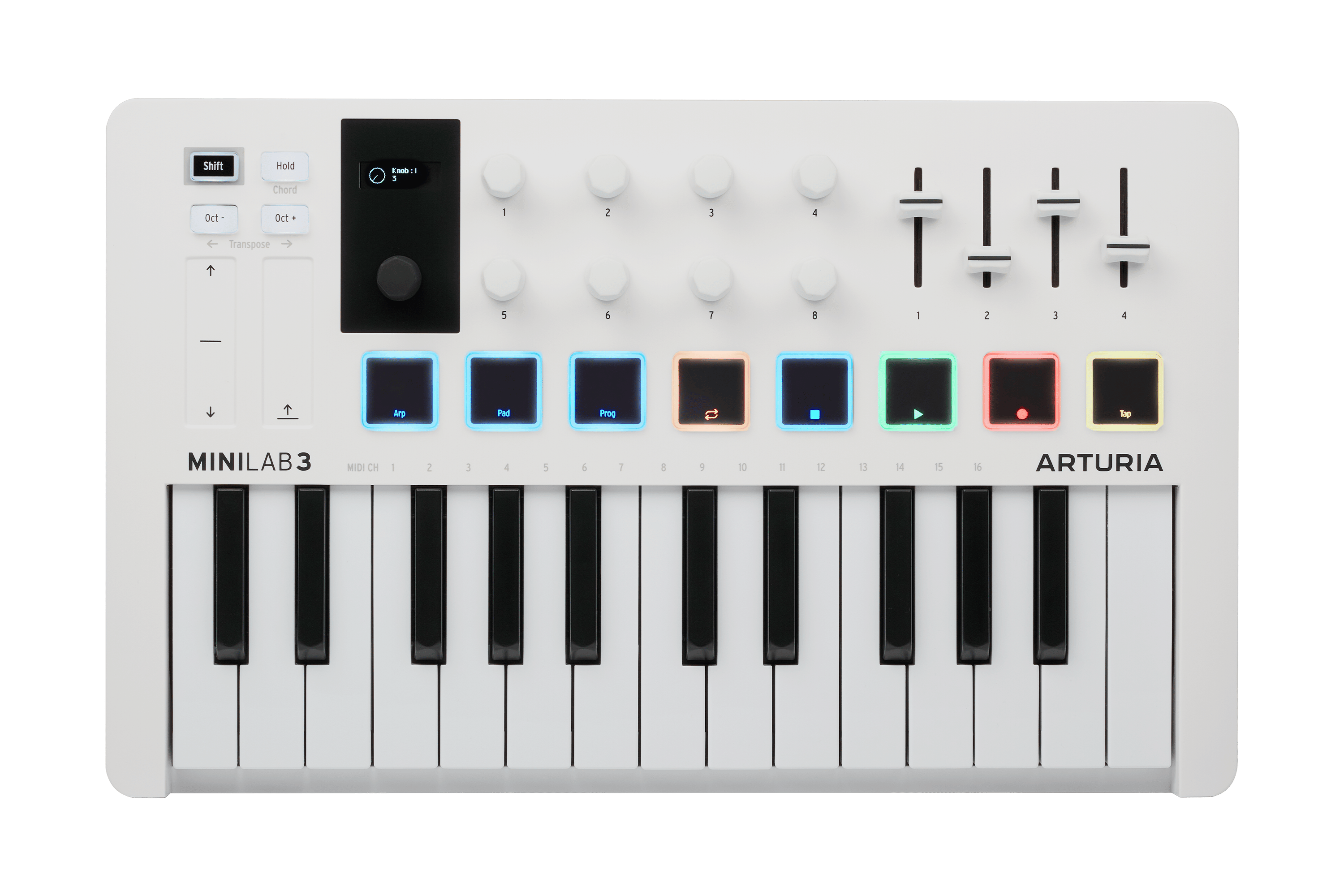
Black and white versions.
The MiniLab 3 has a 25-note velocity-sensitive slim keyboard, two banks of eight velocity and pressure-sensitive RGB pads, eight rotary encoders, four sliders and touch strips for pitch bend and modulation. Arturia lists it at $149. The sliders make it the most complete small controller here for mixing and sound design.
Pros
- ✓Four sliders and eight encoders
- ✓Pressure-sensitive pads
- ✓$149
Cons
- ✗Slim keys
- ✗Touch strips, not wheels
3🎹 Best full-size 25Novation Launchkey 25 MK4

MK4 model with full-size keys.
The Launchkey 25 MK4 has two octaves of synth-style full-size keys, eight continuous encoders and the same 16 velocity-sensitive pads with polyphonic aftertouch as the Mini. It costs $189.99, $60 more than the Mini. Choose it if mini keys feel too small.
Pros
- ✓Full-size keys
- ✓16 pads
- ✓Eight encoders
Cons
- ✗$60 more than the Mini
- ✗Still only two octaves
Subscribe to our newsletter
Occasional updates and new releases — no spam.
4👐 Best for two handsArturia KeyLab Essential 61 mk3
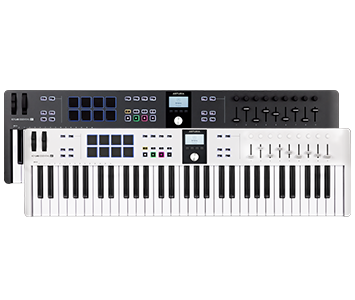
61-key version shown. A 49-key version is $299.
The KeyLab Essential 61 mk3 has 61 keys, eight pads and 18 knobs and faders. Arturia lists it at $349, and the 49-key version at $299. It suits a player who wants to record piano and keyboard parts with both hands. It takes far more desk space than a 25-key controller.
Pros
- ✓61 keys
- ✓18 knobs and faders
- ✓49-key version at $299
Cons
- ✗Large
- ✗Eight pads only
5🥁 Classic compact pickAkai Professional MPK Mini mk3
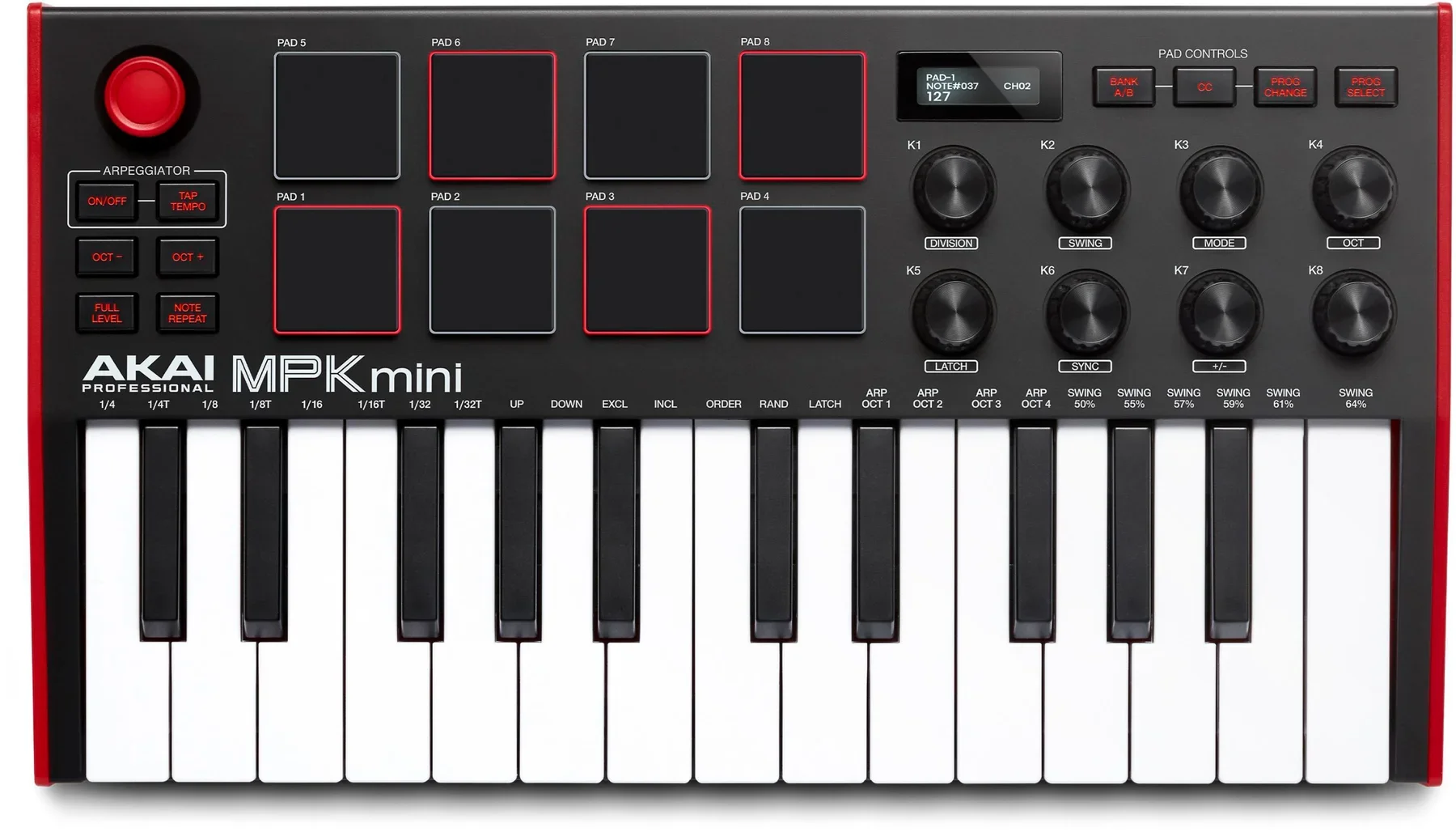
mk3 generation. Compare with the newer MPK mini IV.
The MPK Mini mk3 has 25 keys, eight drum pads and eight assignable endless knobs. It is one of the most widely used small controllers. Akai now also sells an MPK mini IV with RGB backlit pads and dedicated software maps, so check which generation a listing shows. We could not confirm a current price.
Pros
- ✓Eight drum pads
- ✓Eight endless knobs
- ✓Widely supported
Cons
- ✗Newer MPK mini IV exists
- ✗Price not confirmed
Akai Professional MPK Mini mk3
Product details →Key count and key size
Twenty-five keys cover two octaves. That is enough to play bass lines, melodies and one-handed chords, and it fits next to a laptop. Octave buttons shift the range up or down.
Mini keys are narrower and shorter than piano keys. They save space, and players with piano training often find them cramped. The Launchkey 25 MK4 keeps the two-octave range with full-size keys.
Sixty-one keys let you play with both hands. Choose that size if you already play piano or want to record keyboard parts in one take. The table shows each maker's figures and the price on its own store on October 4, 2026.
| Controller | Keys | Pads | Knobs and faders | Price seen |
|---|---|---|---|---|
| Novation Launchkey Mini 25 MK4 | 25 mini | 16 | 8 encoders | $129.99 |
| Arturia MiniLab 3 | 25 slim | 8 (two banks) | 8 encoders, 4 sliders | $149 |
| Novation Launchkey 25 MK4 | 25 full-size | 16 | 8 encoders | $189.99 |
| Arturia KeyLab Essential 61 mk3 | 61 | 8 | 18 knobs and faders | $349 |
| Akai MPK Mini mk3 | 25 | 8 | 8 endless knobs | Not confirmed |
Pads, knobs and faders
Pads are for finger drumming and for launching clips. Novation lists 16 velocity-sensitive pads with polyphonic aftertouch on both Launchkey MK4 models. Arturia lists two banks of eight velocity and pressure-sensitive pads on the MiniLab 3. Akai lists eight drum pads on the MPK Mini mk3.
Knobs control software parameters such as a filter or a volume. Endless encoders have no fixed start and end, so they pick up the software's current value without a jump.
Faders suit mixing and organ drawbars. The MiniLab 3 has four sliders. Arturia lists 18 knobs and faders in total on the KeyLab Essential 61 mk3.
Software integration and connections
A controller is easier to use when it maps itself to your recording software. Novation's Launchkey range is built around Ableton Live clip launching and also supports other programs. Arturia's controllers map to its Analog Lab instrument collection.
All five connect and take power over USB. Check whether your computer needs a USB-C adapter. If you own hardware synthesizers, look for a 5-pin MIDI output on the listing.
Each brand bundles software, and the bundle changes over time. Check what is included on the day you buy.
How these picks were chosen
We chose controllers with published specifications across the 25-key and 61-key sizes. M-Audio, Nektar and Alesis make strong controllers too. They are not covered here, and that is a limit of this page. Akai's support pages describe a newer MPK mini IV with RGB backlit pads and dedicated software maps. We list the mk3 because it is the model we could match to an official image, and we suggest comparing both before buying.
Recommendations are editorial. No brand paid for placement, and the links on this page are affiliate links that may earn Pickly a commission at no extra cost to you.
Frequently asked questions
Does a MIDI keyboard make sound on its own?▼
Are 25 keys enough?▼
Mini keys or full-size keys?▼
Do I need an audio interface with a MIDI keyboard?▼
What is aftertouch?▼
Will it work with my recording software?▼
Can I use a MIDI keyboard with an iPad?▼
Check the details of the products in this article
- Novation Launchkey Mini 25 MK4$129.99Reference price
- Arturia MiniLab 3$149Reference price
- Novation Launchkey 25 MK4$189.99Reference price
- Arturia KeyLab Essential 61 mk3$349Reference price
Prices change. Check the retailer for the current price.
Comments & questions
Discussion happens on nattzy, our community forum. Sign in with Google to post — it takes a second.
Still deciding? Ask the community your own question — Post a question on nattzy ↗
Related articles
Best Guitar Amp 2026: 5 Home Practice Amps Compared

Best Beginner Electric Guitar 2026: 5 Compared

Best Ukulele 2026: 5 Soprano, Concert and Tenor Picks

Best Acoustic Guitar for Beginners 2026: 5 Picks from $175
Best Guitar Wall Mounts 2026: 5 Hangers Compared
Best Electronic Drum Set 2026: 5 Home Kits Compared