Best Cutting Machines 2026: Cricut, Silhouette, Brother
WriterPickly Editorial
Updated 2026-10-07
A home cutting machine turns vinyl, cardstock, iron-on and fabric into decals, cards, stickers and shirt designs. The machines look alike, so the choice comes down to how wide and how thick you need to cut, and what the software will cost you after the purchase.
Quick answer
The Cricut Explore 5 at $199 is the one to buy for most people: it cuts 12 inches wide and works with 100+ materials. The Cricut Maker 5 at $349 is for fabric, leather and materials up to 3 mm. The Cricut Joy Xtra at $149 is the small, low-priced option with an 8.5-inch width. The Silhouette Cameo 5α at $279.99 suits anyone who would rather pay once for software than subscribe. The Brother ScanNCut SDX125E at $449.99 has a built-in scanner and works without a computer.
We did not run our own testing on these machines. Judging cut quality means cutting the same files on each one, and results depend heavily on the blade, mat and material. What we did instead: took cut sizes, thickness limits, speeds and box contents from each manufacturer's product pages, checked prices on the makers' stores and on Amazon on October 6, 2026, and read the subscription terms on Cricut's and Silhouette's own pages. On that date Cricut's store showed the Explore 5 and Maker 5 machine-only listings as out of stock, while bundles were in stock. Cricut's US product page lists 5 compatible tools for the Explore 5, while Cricut's launch post and its Japanese store say six; we use the product page figure.
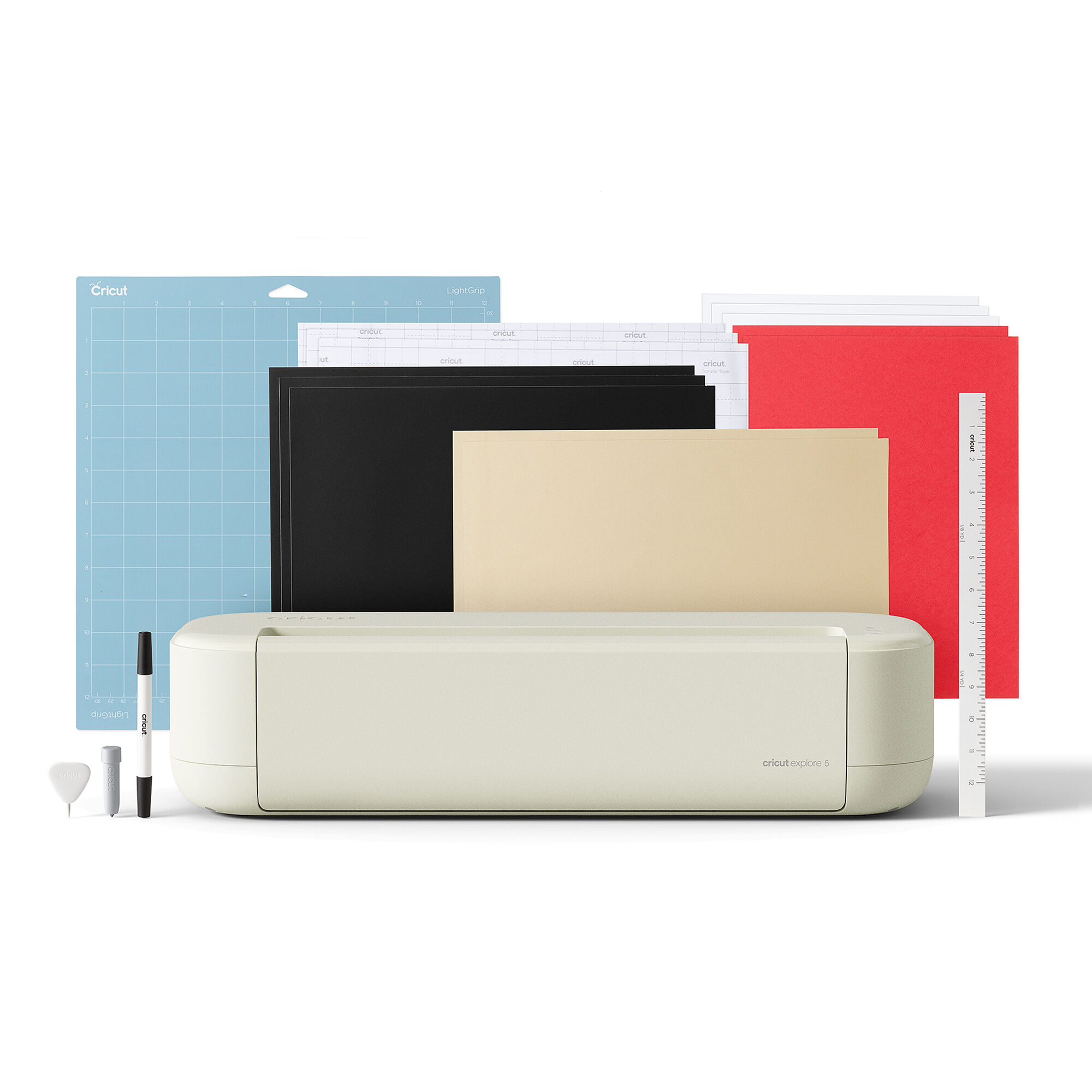
🏆 Best overall: The Explore 5 is Cricut's mid-range machine at $199. Cricut lists a 12-inch cut width, 100+ materials, Print Then Cut, and continuous cuts up to 12 ft with Smart Materials.
Top picks ↓Related articles

1★ Best Pick🏆 Best overallCricut Explore 5 Smart Cutting Machine
12-inch machine. Machine only or in bundles.
The Explore 5 is Cricut's mid-range machine at $199. Cricut lists a 12-inch cut width, 100+ materials, Print Then Cut, and continuous cuts up to 12 ft with Smart Materials. The box includes the Premium Fine Point Cutting Tool, a Scoring Tool, a dual-sided marker and a 12 x 12 in LightGrip mat. It cuts up to 1.5 mm only with the Deep Cutting Tool, sold separately, and the machine-only listing was out of stock on Cricut's store when we checked, while the $199 Essential Bundle was in stock.
Pros
- ✓12-inch width
- ✓Scoring Tool included
- ✓$199
Cons
- ✗1.5 mm needs an extra tool
- ✗Machine-only listing out of stock
2🧵 Best for fabric and thick materialsCricut Maker 5 Smart Cutting Machine
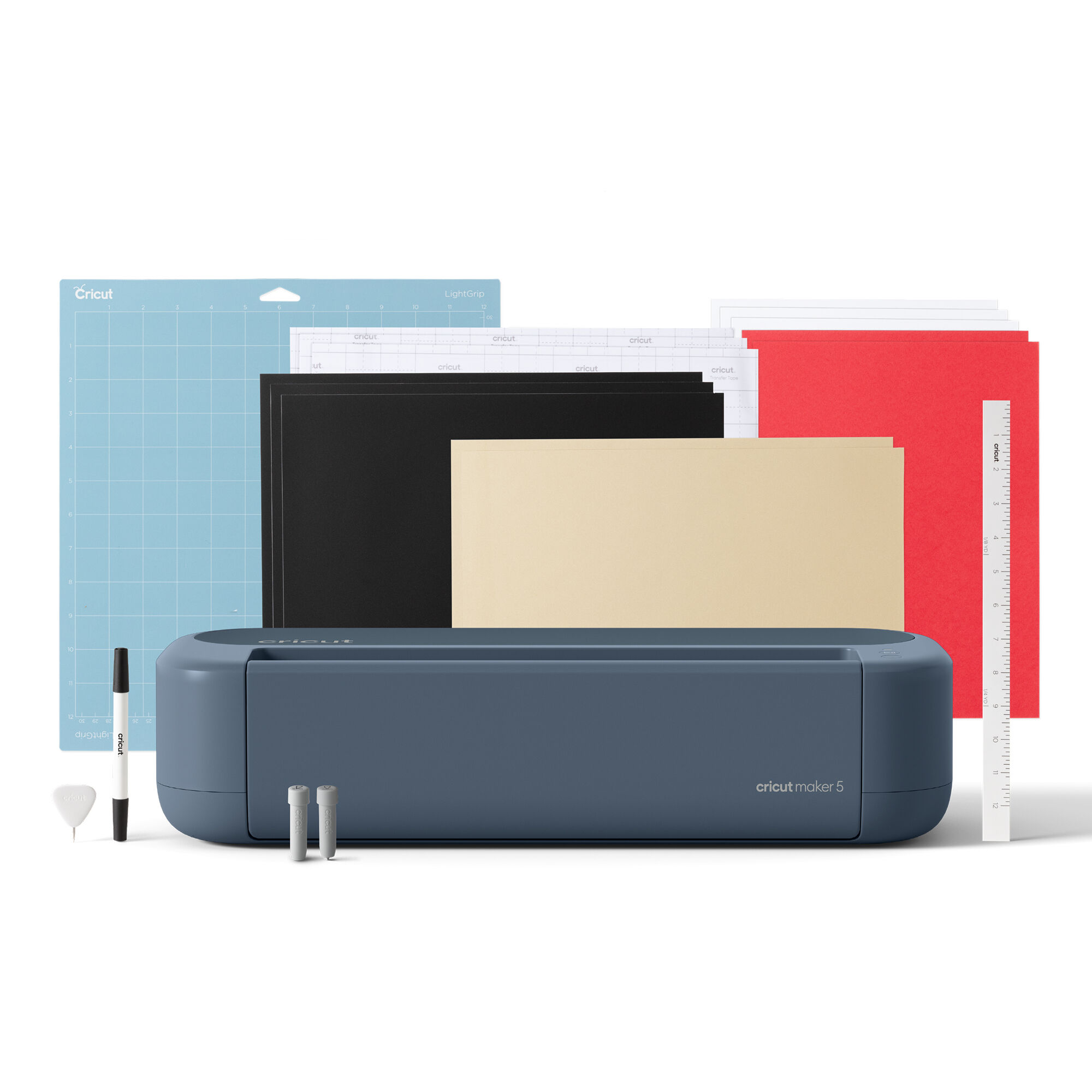
12-inch machine, 3 mm. Specialty tools sold separately.
The Maker 5 is Cricut's most capable machine, launched in September 2026 at $349 for the machine. Cricut lists 300+ materials, 13 compatible tools, cutting and engraving up to 3 mm, a cut speed of 14.1 inches per second and a weight of 10.9 lb. It cuts fabric, leather and foam core board and engraves metal and acrylic, but the engraving tip, knife blade and rotary blade are sold separately or in larger bundles. The machine-only listing was out of stock when we checked; the Essential Bundle was $399.
Pros
- ✓Cuts and engraves up to 3 mm
- ✓13 compatible tools
- ✓14.1 in/s cut speed
Cons
- ✗Specialty tools cost extra
- ✗Machine-only listing out of stock
3💰 Best compactCricut Joy Xtra Smart Cutting Machine

8.5-inch compact machine. Bluetooth only.
The Joy Xtra was $149 on Cricut's store and on Amazon, down from a $179 list price. Cricut lists a maximum cut of 8.2 x 11.7 inches on its mat or 8.5 inches x 4 ft with Smart Materials, 50+ materials, Print Then Cut on US Letter and A4, and a cut speed of 5.65 inches per second. It measures 12.5 x 6 x 5.5 inches and weighs 6 lb. Cricut's box list for the machine does not include a mat, and it connects by Bluetooth only.
Pros
- ✓$149
- ✓Print Then Cut on A4 and Letter
- ✓6 lb and compact
Cons
- ✗8.5-inch maximum width
- ✗No mat in the machine-only box
Subscribe to our newsletter
Occasional updates and new releases — no spam.
4💻 Best without a subscriptionSilhouette Cameo 5 Alpha (α) Cutting Machine

12-inch machine with mat and AutoBlade. Several colors.
The Cameo 5α is Silhouette's 12-inch machine at $279.99 on Silhouette's store; we saw $299.99 on Amazon. Silhouette lists 12 x 24 inches with a mat, 11.6 inches x 16 ft with lined material, a 3 mm maximum thickness, two tool holders, an AutoBlade, USB and Bluetooth, and a weight of 11.5 lb. The software is free with one-time paid upgrades. At 22.28 inches wide it takes more desk space than the Cricut machines.
Pros
- ✓16 ft cuts with lined material
- ✓Software without a subscription
- ✓Two tool holders
Cons
- ✗22.28 in wide
- ✗Paid editions needed for AI and EPS files
5🔍 Best with a scannerBrother ScanNCut SDX125E Cutting Machine with Scanner

Built-in scanner and 12 x 12 in mat. US 120 V model.
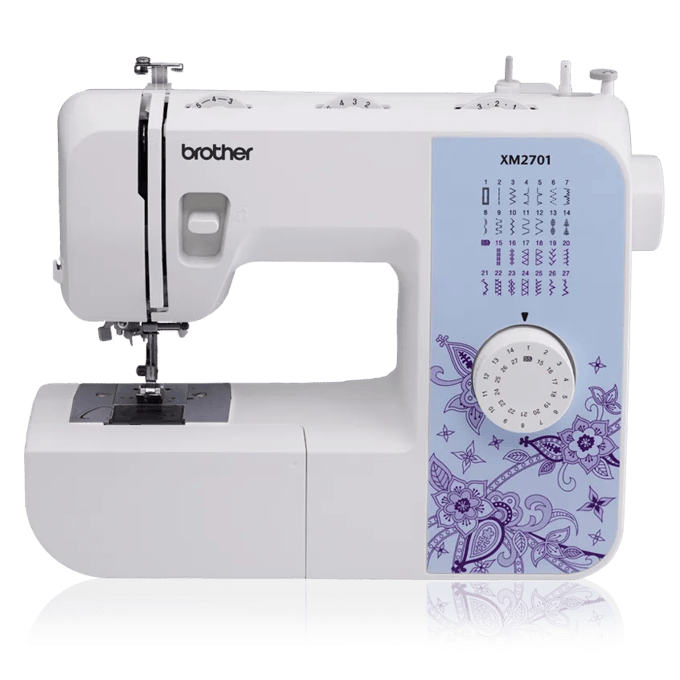
The ScanNCut SDX125E is Brother's scanner model at $449.99. Brother lists a 600 dpi scanner with an 11.7-inch scanning width, 682 built-in designs including 100 quilt patterns, 9 fonts, a 5-inch touchscreen, wireless transfer from CanvasWorkspace, and an Auto Blade that cuts up to 3 mm. It can run without a computer, and Brother adds seam allowances for quilters. It is the most expensive pick here, and Brother says the USB cable is not included.
Pros
- ✓Built-in 600 dpi scanner
- ✓Works without a computer
- ✓Auto Blade senses thickness
Cons
- ✗$449.99
- ✗USB cable not included
Cut width and material thickness
Width decides the size of a single decal or sign. The Explore 5, Maker 5 and Cameo 5α all take a 12-inch mat. Cricut lists the Maker 5's maximum cut size as 11.5 x 11.5 inches on the small mat and 11.5 x 23.75 inches on the large one. Silhouette lists 12 x 24 inches with a mat for the Cameo 5α, and 11.6 inches x 16 ft with lined material such as roll vinyl. The Joy Xtra is narrower: 8.2 x 11.7 inches on its mat, or 8.5 inches x 4 ft with Cricut Smart Materials, which load without a mat.
Thickness decides whether you can go beyond paper and vinyl. Cricut lists 3 mm for the Maker 5, for both cutting and engraving, up from 2.4 mm on the Maker 4. The Explore 5 reaches 1.5 mm, and only with the Deep Cutting Tool, which is sold separately. Silhouette lists 3 mm for the Cameo 5α. Brother lists 3 mm for the SDX125E, using its Auto Blade, which detects material thickness itself.
| Machine | Max width | Max thickness | Price seen |
|---|---|---|---|
| Cricut Explore 5 | 12 in | 1.5 mm (Deep Cutting Tool, sold separately) | $199 |
| Cricut Maker 5 | 12 in | 3 mm | $349 |
| Cricut Joy Xtra | 8.5 in | Not listed | $149 |
| Silhouette Cameo 5α | 12 in mat, 11.6 in roll | 3 mm | $279.99 |
| Brother ScanNCut SDX125E | 12 x 12 in mat | 3 mm | $449.99 |
Read the table with your projects in mind. If you mostly cut vinyl decals, iron-on and cardstock, 1.5 mm is plenty and the Explore 5 covers it for $150 less than the Maker 5. Felt, leather, chipboard and balsa are where the 3 mm machines earn their price.
Software and subscription costs
Cricut machines run on Design Space, which is free to use. Cricut's Amazon listings say the free library has 3,000+ images and 100+ fonts. Cricut Access is the optional subscription. On Cricut's plan page on October 6, 2026, Standard cost $9.99 a month, or $95.88 billed yearly ($7.99 a month), and included 200,000+ images, 7,000 projects, 400 fonts and 10% off purchases on cricut.com. Premium cost $119.88 a year and adds up to 50% off licensed fonts and images and free economy shipping on orders over $50. New customers get a free trial with the machine.
Silhouette Studio Basic Edition is free and comes with every Silhouette machine. The paid editions are one-time upgrades, not subscriptions. Silhouette's software page listed Designer Edition at $49.99, Designer Plus at $74.99 and Business Edition at $99.99, with sale prices of $39.99, $59.99 and $79.99 when we checked. Business Edition adds import of AI, CDR and EPS files. The Cameo 5α box includes 100 designs and a 1-month Silhouette Design Store subscription with registration.
Brother's ScanNCut has 682 built-in designs and 9 fonts on the machine itself, and Brother's web app CanvasWorkspace offers free projects. Over three years, Cricut Access Standard on the annual plan costs $287.64, more than the Explore 5 itself; a Silhouette Business Edition upgrade at full price is $99.99 once. You do not need either to start, but count it if you plan to rely on library designs.
Print Then Cut, scanning and working without a computer
All three Cricut machines here support Print Then Cut: you print a design on a home inkjet printer and the machine reads marks to cut around it, which is how most full-color stickers are made. The Joy Xtra takes US Letter and A4 sheets. Silhouette has moved the Cameo 5α from 3-point to 4-point registration marks, which it says corrects alignment both vertically and horizontally.
The SDX125E works differently. It has a 600 dpi scanner with an 11.7-inch scanning width, so you can scan a hand drawing or a printed sheet and cut it, and edit designs on its 5-inch touchscreen without a computer or phone. Cricut machines need a computer or mobile device running Design Space; Cricut's Maker 5 page notes that it requires an internet connection. The Joy Xtra connects by Bluetooth only.
Speed matters less than it sounds for small projects. Cricut lists 14.1 inches per second for the Maker 5 and 5.65 inches per second for the Joy Xtra. Silhouette lists a maximum cutting speed of 300 mm/s (about 11.8 in/s) and 400 mm/s for sketching on the Cameo 5α.
How these picks were chosen
We chose current machines from the three brands most home crafters compare, with published specifications and a listing we could find. Three of the five are Cricut, which reflects Cricut's range from small to 3 mm machines and also the limits of this page. Siser and other makers of vinyl cutters are not covered here.
Recommendations are editorial. No brand paid for placement, and the links on this page are affiliate links that may earn Pickly a commission at no extra cost to you.
Frequently asked questions
Do I need Cricut Access to use a Cricut machine?▼
Does Silhouette charge a subscription for its software?▼
Cricut Explore 5 or Maker 5?▼
Can I make full-color stickers?▼
What else will I need to buy?▼
Is the Joy Xtra big enough?▼
Can these machines cut wood?▼
Check the details of the products in this article
- Cricut Explore 5 Smart Cutting Machine$199Reference price
- Cricut Maker 5 Smart Cutting Machine$349〜$399Reference price
- Cricut Joy Xtra Smart Cutting Machine$149〜$179Reference price
- Silhouette Cameo 5 Alpha (α) Cutting Machine$279.99〜$299.99Reference price
- Brother ScanNCut SDX125E Cutting Machine with Scanner$449.99Reference price
Prices change. Check the retailer for the current price.
Comments & questions
Discussion happens on nattzy, our community forum. Sign in with Google to post — it takes a second.
Still deciding? Ask the community your own question — Post a question on nattzy ↗